

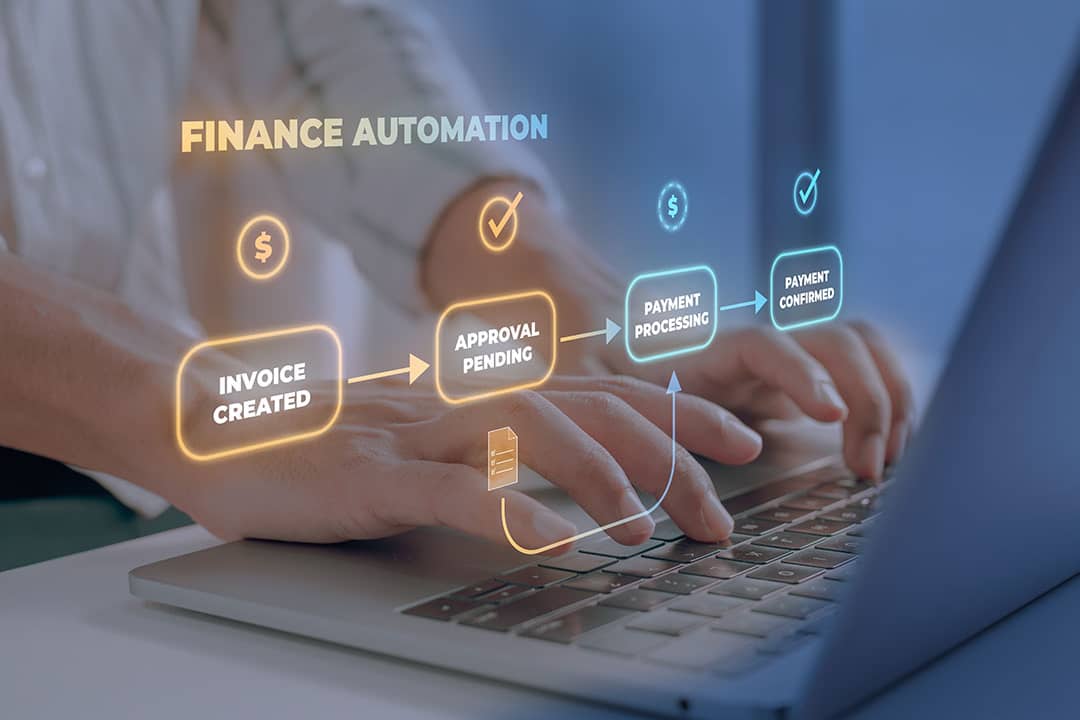
Iftekhar Emon // Shutterstock
Biggest accounts payable automation challenges and how to overcome them in 2026
Accounts payable (AP) automation challenges often become visible after go-live. The controller realizes exceptions are still piling up. The enterprise resource planning (ERP) sync broke after a vendor name change, and approvers have quietly reverted to emailing PDF invoices for sign-off. The finance leader is asking where the time savings went, and the honest answer is that the tool is running, but the results aren’t matching the pitch.
The gap between what AP automation promises and what it delivers can be a major source of frustration in mid-market finance operations. It often follows a recognizable pattern that teams may not diagnose until they’ve already spent months reconfiguring around the wrong root cause. Partial automation can produce worse aggregate outcomes than many teams expected from their investment.
Ardent Partners’ State of ePayables 2024 found that best-in-class AP teams run invoice processing costs 78% lower than the rest of the market, and partial automation tends to leave teams nearer the high-cost end than the savings the tool promised.
Brex broke down common AP automation challenges, specific fixes, a diagnostic framework for why automation underperforms, which challenges may matter most by company size, and how to build a return on investment (ROI) case when leadership asks for proof. Getting AP automation right starts with knowing what the category actually includes and where it delivers the most value.
Why does AP automation underperform?
Many AP automation problems can often be grouped into three root causes. Diagnosing the category before attempting a fix is what often separates a targeted intervention from repeatedly reconfiguring around the same problem. The point isn’t to relitigate implementation indefinitely. It’s to identify where the failure often sits so the team can fix the right layer.
The process wasn’t ready
Automation can reflect the process it finds. When AP runs on inconsistent vendor data, variable invoice formats, and approval logic that lives in one person’s memory, the tool can carry that inconsistency downstream at higher speed. Exception rates can stay high when the root cause sits upstream of the technology. Standardizing accounts payable best practices before automating them is often a prerequisite for determining whether the tool performs as designed.
The integration was misconfigured
“Native integration” can mean different things across vendors. Some platforms build directly inside the ERP. Others use an API with sync delays and mapping dependencies. Others route through middleware that introduces its own transformation rules. When controllers discover the integration requires active management, clearing sync error queues, reconciling invoice counts between systems, and repairing mappings after a chart-of-accounts update, the promised efficiency can shift into a new category of maintenance work. The maintenance burden matters because time savings can fade if the team swaps manual invoice handling for manual sync repair.
The people weren’t trained
A workflow that approvers use consistently can give the team a more complete audit trail and more usable data. When shadow processes emerge, invoices are approved via Slack or via PDFs forwarded by email, even though the platform can leave the automation with an incomplete audit trail and a partial dataset. Key performance indicators (KPIs) built on that data can be misleading because they reflect only the invoices that happened to flow through the platform. Which of these three root causes matters most depends on the company’s stage and invoice volume.
7 biggest AP automation challenges to fix
Each challenge below follows a consistent structure with symptoms, cause, and fix. Diagnosing the right category matters because a process fix applied to a technology problem wastes time without moving the metric. The goal is to reduce rework and recover the business case that justified automation in the first place.
ERP integration failure
Reliable ERP sync protects the time savings the platform was supposed to create. AP aging in the automation tool sometimes disagrees with AP aging in the ERP, turning what should be a routine accounting reconciliation into hours of manual detective work for the controller. Sync errors accumulate in a queue that may go unchecked until month-end.
Many AP platforms offer ERP connectors, but failures often emerge in how general ledger (GL) coding logic, cost center structures, and chart-of-accounts customizations are mapped between systems. Middleware layers and custom API integrations can introduce additional risk. In some cases, transactions are processed without error messages but write incorrect values to the general ledger. Small mapping errors can lead to close-cycle delays as invoice volume rises. Integration pain intensifies in multientity setups, often with 50 to 200 employees, where divergent GL coding, entity-level mapping, and intercompany matching multiply the ways a sync can drift.
Designate the ERP as the single system of record for vendors and GL codes, and sync down to the AP tool. Run a preintegration field-level audit by exporting the vendor master, full chart of accounts, and cost center list. Confirm in writing each field the AP tool writes back to the ERP. Set up a weekly integration health check to reconcile invoice counts and amounts between the two systems. Test any integration change in a sandbox with real invoices before deploying to production. Controllers managing vendor payment automation alongside AP need the ERP sync to be reliable, as downstream payment timing depends on accurate upstream data.
Persistently high invoice exception rates
Lower exception rates start with identifying which root cause keeps the queue growing. Many mid-market teams operate with exception queues that remain stubbornly high after go-live. A large exception backlog usually means the team is fixing symptoms one invoice at a time while the condition that keeps generating them stays in place.
Vendor master mismatches cause matching failures when the name or ID on the invoice doesn’t match the record in the tool. Purchase order (PO) or price tolerance mismatches flag invoices outside configured variance thresholds, even when the difference is immaterial. Missing GL coding rules force invoices into a manual queue. Overly broad duplicate detection catches legitimate invoices alongside actual duplicates. Invoices from vendors that don’t include PO references are not matched at all.
Build vendor-specific coding and routing rules for high-volume vendors. Introduce tolerance bands for PO matching so minor variances don’t automatically trigger exceptions. Run a 30-day exception categorization audit and classify each exception by type before changing any configuration. An optical character recognition (OCR) fix solves a different problem than a vendor master fix. The distinction around two-way matching in accounts payable matters here. Getting invoice matching consistent across vendors keeps both failure modes from recurring. A parallel effort to reduce duplicate payments can also lower the false-positive rate, thereby reducing the queue volume that requires manual review.
Approvers bypassing automated workflows
Getting approvers to use the platform consistently requires understanding two drivers that create bypass behavior. The first is a workflow that doesn’t match the business’s actual decision logic. It may have too many approval tiers for low-value invoices, the wrong approvers for certain vendor categories, and no differentiation between routine and high-risk payments. The second is minimal training, where approvers were shown what the tool requires but never understood what it does for them. Adoption often improves when the process respects how decisions already happen across the business.
Redesign approval tiers around risk and materiality. Auto-approve low-value invoices from known vendors under a defined threshold, route midrange invoices to a single approver, and reserve multistep approval for high-value or first-time vendors. Put approvals on the channel approvers already use, email or mobile, with a single clear action. Set an internal approval service-level agreement (SLA) with automatic escalation to the approver’s manager, and make it visible to the finance leader. In many teams, the workflow should reduce the AP manager’s manual follow-up. Approver adoption can improve when the workflow reflects how decisions are actually made, rather than how an implementation consultant assumed they would be made.
Automation is configured for a process that doesn’t reflect reality
A configuration that matches the real workflow can give AP staff fewer reasons to invent work-arounds. Edge cases and exception-prone invoice types often surface post-go-live that nobody accounted for during implementation. AP staff then invent work-arounds that become informal standard operating procedures (SOPs). Once those side processes take hold, the automation layer no longer represents how AP really runs. Smaller teams, often under 50 employees, hit this when a platform built for heavy configuration lands before intake, coding, and approvals are standardized.
Map the current as-is workflow in specific detail before reconfiguring. Document known exception scenarios, vendor types, and department-specific coding preferences. Segment the invoice population into three tiers. High-volume, low-complexity invoices qualify for full automation. PO-backed invoices require configured matching with exception routing. High-complexity invoices get human review as a designed feature of the workflow. Write SOPs for the updated workflow and use them for onboarding new AP hires. If the accounts payable process lives only in one person’s memory, each new hire often discovers the work-arounds independently.
Vendor master data quality problems
Clean vendor data supports accurate posting, remittance, and review. Split payment histories, misapplied remittances, and validation failures that trigger manual review all point to the same underlying issue. Dirty vendor master data generated with occasional manual errors can produce systematic errors at scale in an automated environment, and adding vendors without proper vetting can compound the exposure to duplicate payments, misapplied funds, and compliance gaps.
A vendor master cleanup typically includes de-duplicating records, standardizing naming conventions, and deactivating records with no purchase history in a defined prior period. Many companies also move vendor creation and banking detail changes to a dual-control process, requiring two separate approvals for any modification, and assign a named owner for vendor master governance. The cleanup matters because a cleaner vendor master can improve posting accuracy, payment reliability, and audit readiness, and it may make it easier to keep track of invoices and payments across every vendor relationship.
Fraud risk that automation introduces
Automated AP may need stronger review points because payments may move faster once a file is approved. The 2025 Association for Financial Professionals (AFP) Payments Fraud and Control Survey found that 79% of respondents reported their organizations experienced attempted or actual payments fraud in 2024. Business email compromise (BEC) remained the No. 1 avenue for attempted and actual payment fraud, cited by 63% of respondents. Vendor imposter fraud was cited by 45% of respondents, an 11-percentage-point increase from the previous survey.
Three automation-enabled fraud vectors are specific to AP. One is vendor banking change fraud, where an attacker impersonates a vendor via email and requests an automated clearinghouse (ACH) account change so the next automated payment goes to the attacker. Another is ghost vendor creation that exploits automated onboarding lacking dual-approval controls. A third is invoice duplication through multichannel submission that takes advantage of tools without duplicate detection that catch repeat submissions without flagging too many valid invoices. The faster money moves, the less time teams have to catch a bad change before it turns into a real loss.
Don’t process vendor banking detail changes through the same channel the request arrived in. Verify the new banking details by contacting the vendor using the method established before the request. Configure dual authorization for any banking update. Run a daily prerelease payment file review focused on new vendors receiving first-time payments, vendors with recent banking changes, and amounts materially above historical averages. Controllers responsible for internal accounting controls should treat AP fraud controls, including clear separation of duties, as a design requirement built into the AP workflow from the start.
Missing baseline metrics that block ROI proof
Building a credible answer to the question of whether AP automation saves time and money requires baseline metrics that many teams didn’t capture before implementation. Default reports may show activity, processed invoices, and completed approvals, but they may not show efficiency, time saved, cost reduced, or exceptions eliminated. Efficiency requires a before-and-after comparison that many teams never set up. Without that baseline, finance teams are left defending a project with anecdotes instead of evidence.
How to prove AP automation ROI to the finance leader
The AP automation ROI case gets easier to make once the right metrics are in place. These three steps provide the controller with a credible framework for presenting results or diagnosing ongoing underperformance. They also make it easier to explain why a tool may be live but still not delivering the expected operating leverage.
Establish the baseline, even after the fact
A small set of metrics usually matters most. They are cost per invoice, invoice processing cycle time, exception rate, touchless processing rate, and on-time payment rate. If no baseline was captured before implementation, reconstruct it from ERP invoice and payment dates for the six months before go-live. Payroll records showing AP staff time allocation, late-payment fee history, and early-payment discount capture rates from vendor payment records collectively contribute to a retroactive baseline. Controllers tracking accounts payable metrics already have the measurement infrastructure, and folding that tracking into regular accounts payable reporting keeps the baseline current instead of a one-time snapshot. Teams that aren’t should start with cost per invoice and cycle time.
Set realistic targets
Set targets that show measurable operational progress. Present current performance against the team’s own baseline and show direction of travel quarter over quarter. A finance leader who sees a decline in cost per invoice over two quarters has a business case with visible progress. Realistic targets matter because leadership is more likely to support the next improvement cycle when the numbers show steady, defensible operational gains.
What to say when the numbers still aren’t good
If automation is still underperforming, the ROI conversation requires a structured problem statement. Name the root cause, process, technology, or people. Identify the specific challenge from the section above, describe the fix underway, and state the metric it will affect and when. A finance leader who hears that the exception rate is elevated, that the root cause is vendor master data quality, that cleanup is underway, and that the team expects improvement by a stated internal deadline that has a credible diagnostic. A promise of better results next quarter without a specific mechanism doesn’t hold up in a budget review. Controllers who want to automate accounting processes more completely should treat the ROI framework as the feedback loop that tells them which automation efforts are producing returns and which need intervention.
Disclaimer: This article reflects Brex’s perspective at the time of publication and is intended for general informational purposes only. It is not intended as legal, tax, accounting, or financial advice. Laws, regulations, and guidance may vary based on your specific circumstances, and interpretations or outcomes may differ. Information may also change over time. Before making any decisions, you should consult your own qualified legal, tax, accounting, or financial advisors.
This story was produced by Brex and reviewed and distributed by Stacker.